This guide helps you find the Domain Authorization Code (EPP) on Namecheap for transfer purposes.
1. Login to your Namecheap account
Use the top right Account → Dashboard icon button to login into your Namecheap account.
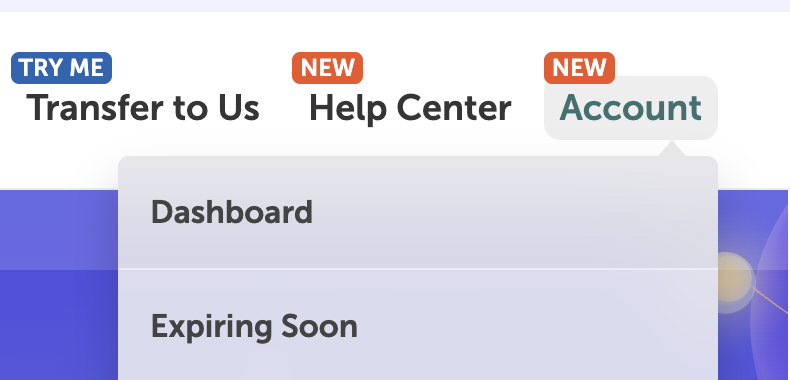
2. View domain details
Locate your domain using the Domain List in the left sidebar, then click the Manage button in the domain name you want to get the code.

Namecheap left sidebar Domain List
Then, navigate to the Sharing & Transfer tab.
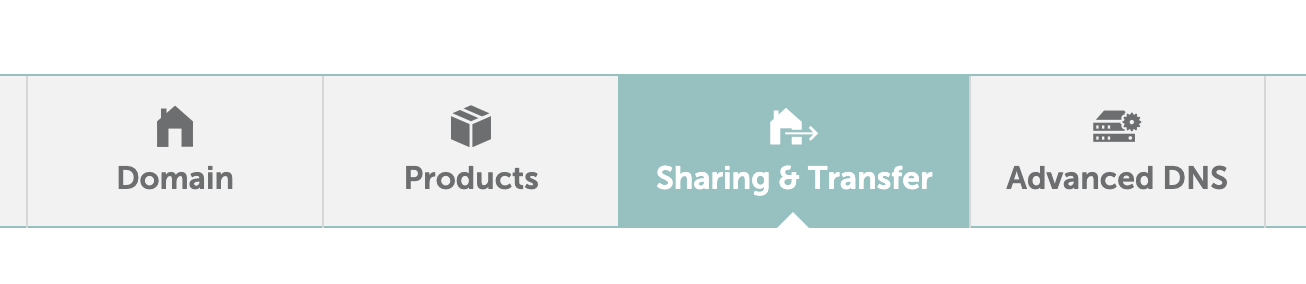
Namecheap Sharing & Transfer section
3. Get Authorization Code
On the Transfer Out section, click the AUTH CODE button and fill in the feedback form (or skip it), then click Send Code. The Domain Authorization Code will be sent to your Domain Contact email.

Namecheap Domain Transfer Out section
If you want to transfer the domain, use the "Unlock" button to unlock the domain first. This does not apply if you only want to view the Authorization Code without making the transfer.